C programming preprocessor directives
In this tutorial, you will learn in depth about C programming preprocessor directives that modify source code before it is compiled by the compiler.
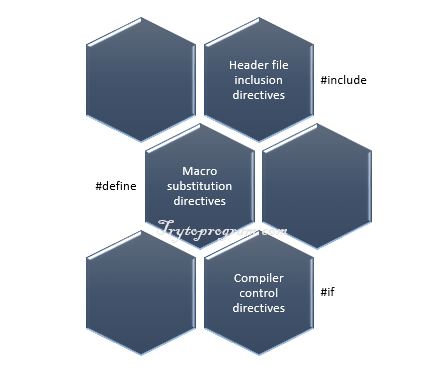
As the name implies C programming preprocessor directives are the instructions that execute our program before it is compiled.
Many of write C program without knowing what actually preprocessor is. In this article, we will explore preprocessor directives in C programming.
C programming Preprocessor directives
While writing C program, the first line of code that starts with # is called preprocessor directive and only comments and whitespace character are allowed before it.
#include preprocessor directive
Every C program starts with #include preprocessor directive with .h extension file known as a header file.
This causes the copy of a file to be placed in place of the directive. There are two ways to write #include directive. These are
#include <filename>
#include "filename"
Following is the difference between these two:
#include <filename>This command is used for standard library headers. It searches for header file in the specified list of directories only.
See the list of standard library headers.
#include "filename"This command searches for the file in the current directory as well as the specified list of directories. This method is used for programmer-defined headers.
[adsense1]
#define preprocessor directive (Symbolic Constants)
The #define directive is used to create symbolic constants and the statement is called macro.
#define identifier replacement_textWhen a symbolic constant is defined in the program, all subsequent identifier or symbol is replaced by replacement_text.
For example:
#define SIZE 10When symbolic constant SIZE appears in the program it is replaced with 10.
Example: C program to calculate the area of a circle.
/* Program to calculate the are of a circle */
#include <stdio.h>
#define PI 3.1415

int main()
{
   float r, area;
   printf("Enter radius: ");
   scanf("%f", &r);

   area = PI * r * r;
   printf("\nArea of circle= %.3f", area);

   return 0;
}
Output
Enter radius: 4.2
Area of circle= 55.416
Explanation
In the above program, we have defined symbolic constant PI which value is 3.1415.
If the value of constant needs to be modified in the program, it can be done simply by changing the value of PI in #define directive.
Good Programming Practice
In C symbolic constants are defined only using capital letters and try using a meaningful name for it.
Common Programming Error
Terminating macro definition with a semicolon and forgetting to enclose header file with
< >.
Common example of using #define
#include<stdio.h>
#define OR ||
#define AND &&
int main()
{
   int x, y, z;
   printf("Enter values of x, y and z: ");
   scanf("%d %d %d", &x, &y, &z);
   if((x > 5 AND y < 10) OR (z > 100))
       printf("Max will get apple.");
   else
       printf("Max will get punishment.");
   return 0;
}
Macros with arguments
Till now we have used simple macros with no arguments. Interestingly macros can have arguments.
Example: Using macro with arguments
#include <stdio.h>
#define CIRCLE_AREA(r) (3.1415 * r * r)

int main()
{
   float x = 4.2;
   printf("Area of circle= %.3f", CIRCLE_AREA(x));
   return 0;
}
Output
Enter radius: 4.2
Area of circle= 55.416
Explanation
In the above program, wherever there is CIRCLE_AREA(r) it is replaced with 3.1415 * r * r. The variable x in CIRCLE_AREA(x) is subsituted to r.
Undefining a Macro
We can easily undefine the defined macro using the following statement.
#undef identifier
This is very useful when we want to restrict the use of the defined macro in other parts of the program.
Example:
#undef SIZECommon Programming Error
Placing space between the macro template and its argument results in error. For example, there should not be space between
CIRCLE_AREA and (r) in the definition.